Authors can upload content or assets to the Create software by means of cloud synchronisation. All uploaded assets can be centrally controlled by the author. This means users always have access to the latest versions of corporate information. If a new version of the slide is uploaded by the author and that slide has been marked as updateable the user will be reminded to update to the latest version if they open a presentation containing that layout.
Assets that can be uploaded to PowerPoint include slide layouts, images, shapes, icons and text library content. In Excel, authors can upload workbooks (the updateable feature is not available).
Additionally, authors can manage company information which can include office addresses, registered company text and copyright dates. This can be done in Word, PowerPoint or Excel.
If you are an author in your organisation, you will see the Author button on the Create side bar in Word, PowerPoint or Excel.
Select Author on the side bar.

The Author task pane will open and will look different depending on the application.
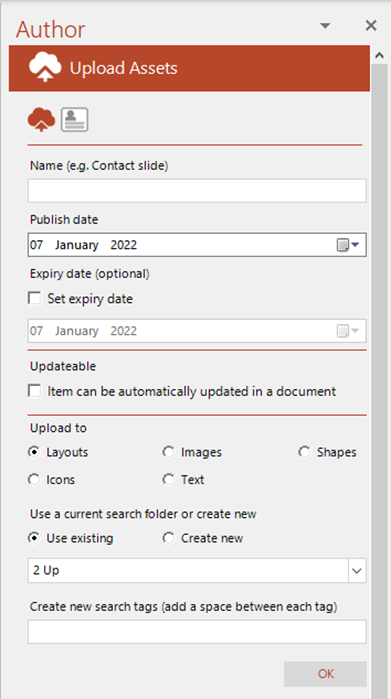
In PowerPoint authors can upload slide layouts, images, shapes, icons and text library content. Once uploaded they can be edited from the Layouts or Shapes& Images task panes.
Related Topics
Edit Author-Generated Text Library Content
Was this article helpful?
That’s Great!
Thank you for your feedback
Sorry! We couldn't be helpful
Thank you for your feedback
Feedback sent
We appreciate your effort and will try to fix the article