Basic AutoColour settings will be included with your customisation. However, as an author, you can update these at any time and upload them to make them available to all users.
This function will appear on the Author task pane in Excel only.
Customise your AutoColour settings first.
Select Author on the side bar.
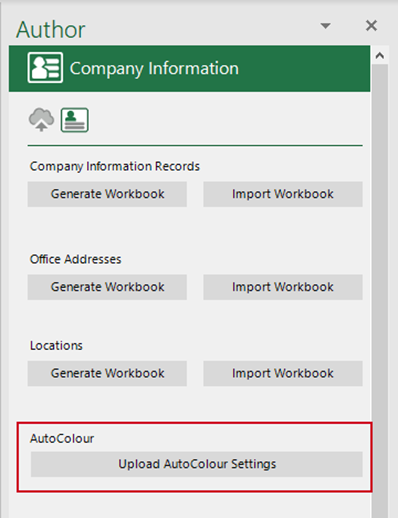
The Author task will open. Select the Company Information panel.
- From AutoColour, select Upload AutoColour Settings.
Related Topics
Was this article helpful?
That’s Great!
Thank you for your feedback
Sorry! We couldn't be helpful
Thank you for your feedback
Feedback sent
We appreciate your effort and will try to fix the article