Save the image so that you can browse to its location. Make sure that the size of the image is less than 600KB as images of a larger size cannot be uploaded to Create.
Select on the side bar.
The task pane will open at the Upload Assets panel.
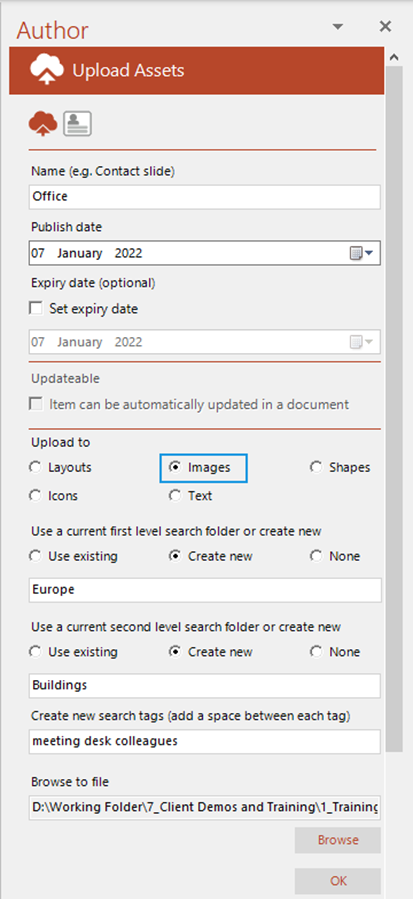
- The name that you choose will appear underneath the image thumbnail in the task pane once the image is uploaded.
- Defaults to the current day, month and year. To choose a future date, click on the calendar button and select date from the calendar that appears. The recorded publish date will be in the same time zone as that of the author.
- This field is optional. If you want an image to be available for a limited period only, check Set expiry date, click on the calendar button and select the date. The recorded expiry date will be in the same time zone as that of the author.
- images cannot be marked as updateable.
- Select Images to upload to the task pane.
- Select the folder to which you would like to upload your image from the drop-down list or select Create new to create a new folder. Select None if you do not want the image in a folder.
- Select the second level folder to which you would like to upload your image from the drop-down list or select Create new to create a new second level folder. Select None if you do not want your image saved in a second level folder.
- This field is optional. Add relevant searchable tags for the slide with a space between tag names.
- browse to the location of the image file you wish to upload.
- Click .
Related Topics
Was this article helpful?
That’s Great!
Thank you for your feedback
Sorry! We couldn't be helpful
Thank you for your feedback
Feedback sent
We appreciate your effort and will try to fix the article