We can’t change the default position of the Create ribbon, but users can change the position themselves and they will only have to do it once.
Right-click on the main ribbon and choose Customise the Ribbon.
In the dialog make select Main Tabs under Customise the Ribbon, select Create and use the Up and Down arrows to move its position, as shown below.
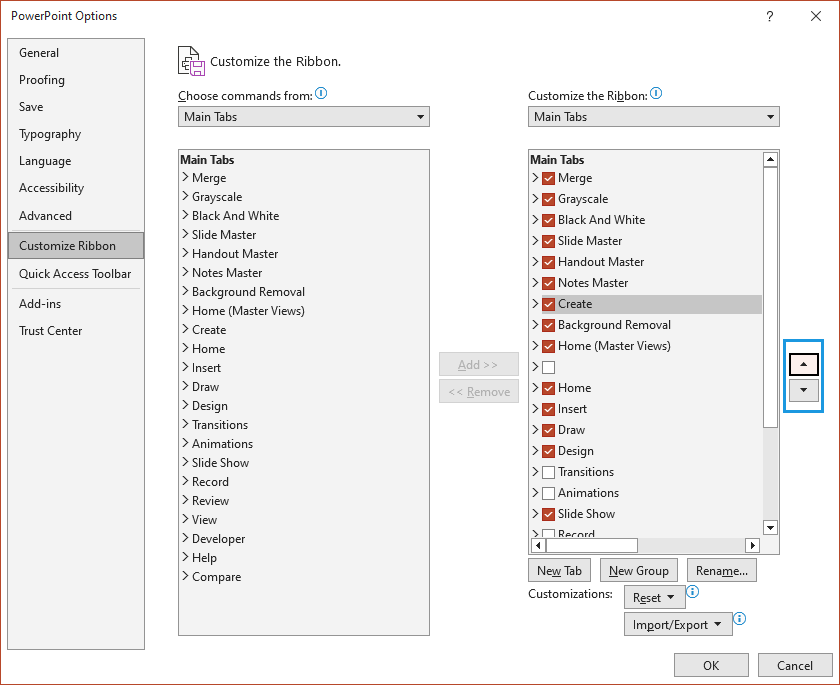
Click OK and the Create ribbon will move its position.
Was this article helpful?
That’s Great!
Thank you for your feedback
Sorry! We couldn't be helpful
Thank you for your feedback
Feedback sent
We appreciate your effort and will try to fix the article