Use this option on presentations that have been created in previous versions of Create. It will ensure that all required tables styles are added to the template and so make formatting more efficient.
- Open the presentation that was created in a previous version of Create.
- On the Create ribbon select Help.
- From the dropdown menu select Make V10 Compatible.
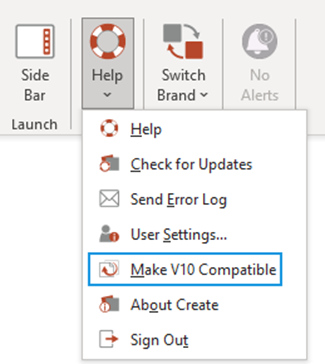
| Notes This will update the presentation to V10. If you intend to work on the presentation again in a previous version, make a copy first. |
Was this article helpful?
That’s Great!
Thank you for your feedback
Sorry! We couldn't be helpful
Thank you for your feedback
Feedback sent
We appreciate your effort and will try to fix the article