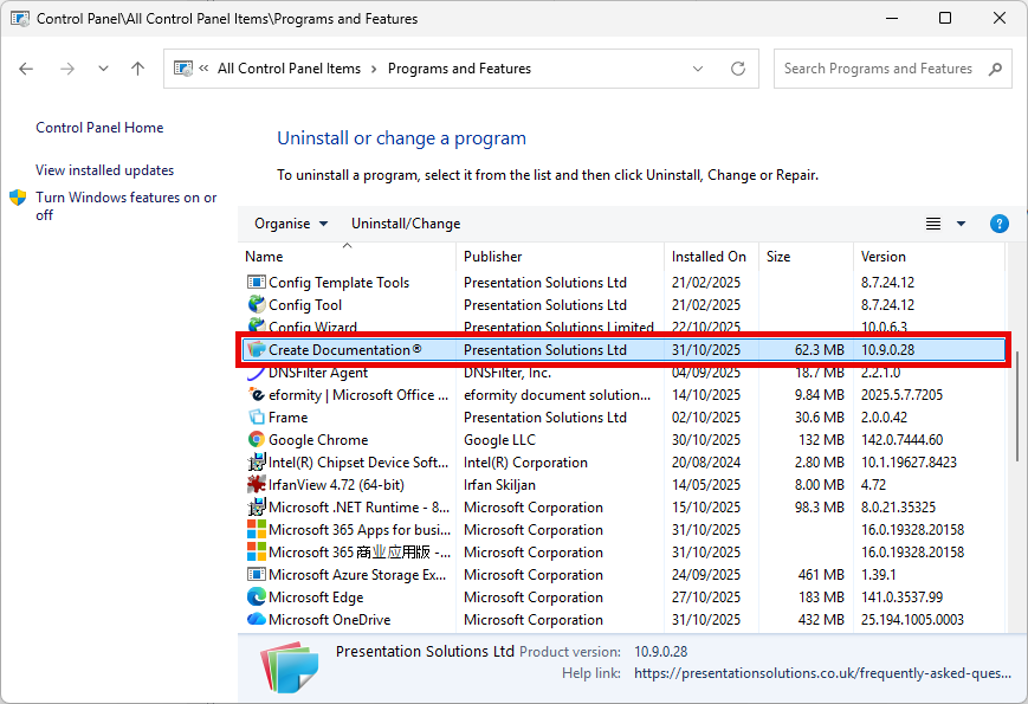
Create can be uninstalled via Control Panel | Programs and Features.
1. If the user no longer requires Create then their licence should be deactivated on the portal. The Portal Administrator(s) enabled for your organisation will be able to deactivate the user. Otherwise, contact support@presentationsolutions.co.uk.
2 Select the entry associated with Create in Control Panel | Programs and Features and select Uninstall:
Was this article helpful?
That’s Great!
Thank you for your feedback
Sorry! We couldn't be helpful
Thank you for your feedback
Feedback sent
We appreciate your effort and will try to fix the article