File has a different computed hash than specified in manifest
The error shown in the screenshot below may occur during ClickOnce installation if the download is interrupted or if your internet connection is so slow that the Microsoft Office Customization Installer times out downloading one of the files. The hash value check fails because the downloaded file is incomplete.
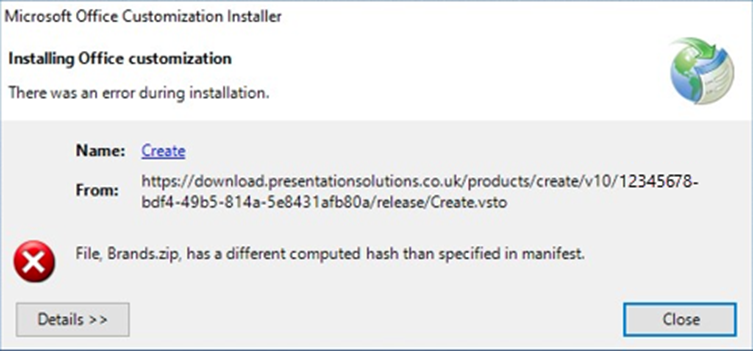
The simplest fix is to re-try the installation routine. This has resolved the issue for the majority of users.
However, occasionally it is necessary to clear the ClickOnce cache manually to remove the corrupted files before repeating the installation process.
1. Close all Microsoft Office applications
2. Open a navigation window
3. Go to This PC or Computer Windows (C:)
4. Select Users
5. Select your name from the list of users
6. If you can’t see the next folder level, you’ll need to View Hidden Items (see screenshot below) within the navigation menu at the top

7. Select AppData / Local / Apps / 2.0
8. Rename 2.0 to OLD2.0
9. Rerun the installation process
Was this article helpful?
That’s Great!
Thank you for your feedback
Sorry! We couldn't be helpful
Thank you for your feedback
Feedback sent
We appreciate your effort and will try to fix the article