How to view the install path for Create
(The location that Create is looking to for Updates)
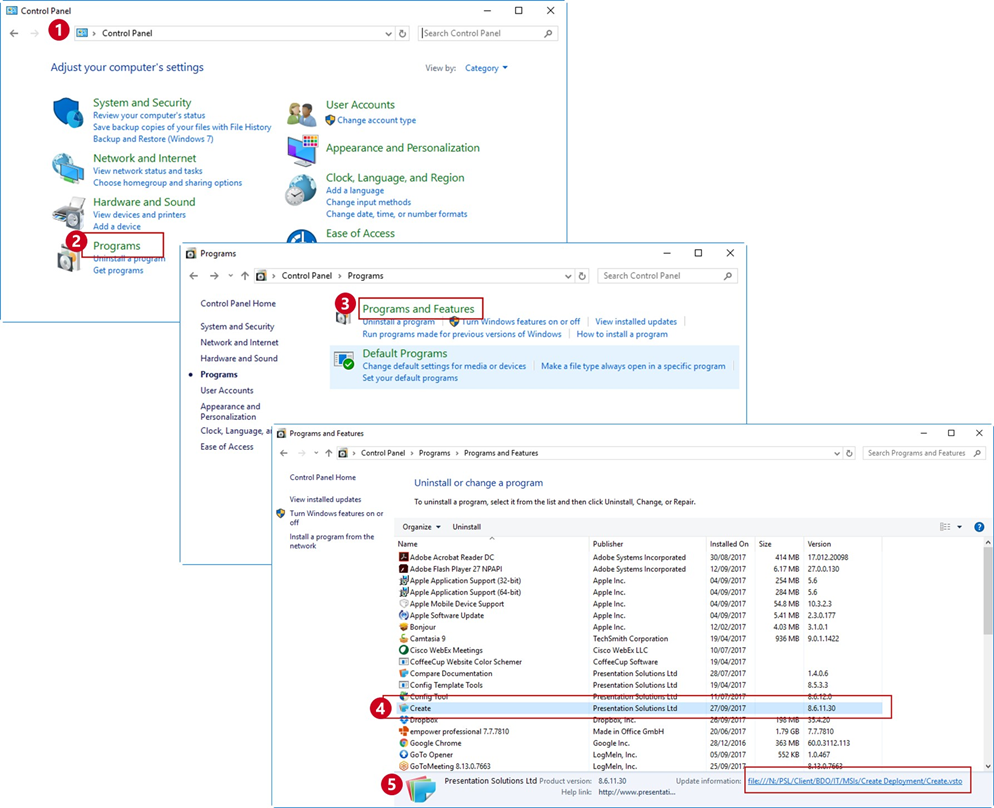
- Go to Control Panel
- Programs
- Programs and Features
- Select Create from the list
- At the bottom of the dialog, you should see the details box which shows the version and update information. Expand the window to see the full path of the Update Information. Take a screenshot (ALT+PrintScreen)
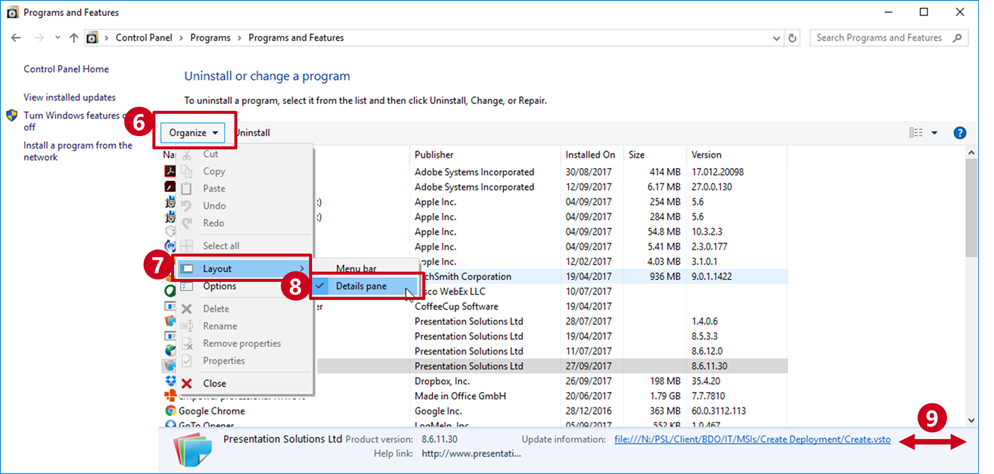
NOTE: If you can’t see the Update Location Box - - Select Organise
- Layout
- Details Pane
- Ensure you expand the window so you can see the whole path. Take a screenshot (ALT+PrintScreen)
Was this article helpful?
That’s Great!
Thank you for your feedback
Sorry! We couldn't be helpful
Thank you for your feedback
Feedback sent
We appreciate your effort and will try to fix the article