The Preference Manager dialog allows users to customise the settings in Create for use in PowerPoint presentations, Excel workbooks and Word documents (if your version includes Word).
These settings include the colour palette, chart formats, table formats, text formats and agendas/TOCs.
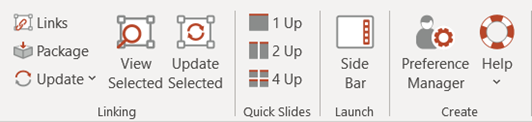
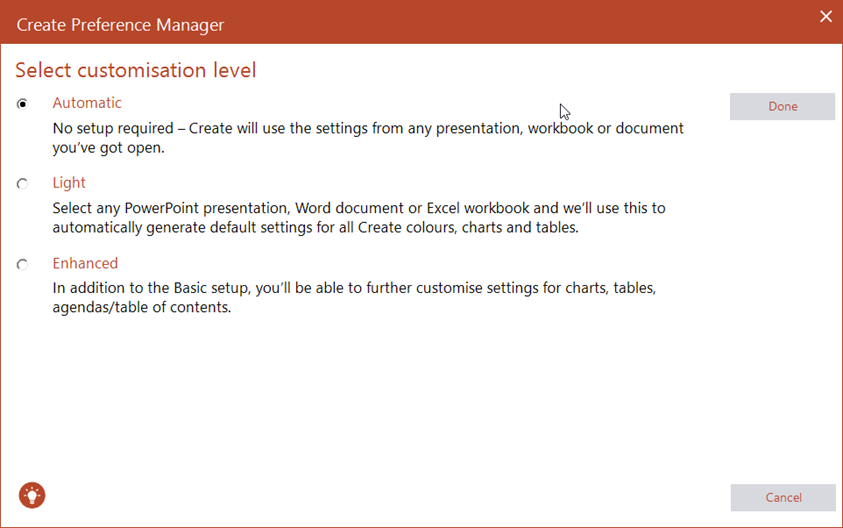
There are three customisation levels from which to choose:
- Automatic – incorporate settings from an open file into the Create toolbar; including colours, basic tables, basic charts and charting features and text formats.
- Light – imports the basic styles from an existing presentation with the option to export and save the settings that can be shared with colleagues or other devices
- Enhanced – allows you to fully customize Create settings for charts, tables, agendas/TOCs, fonts and other features. Use the wizard to step through the customization process. Enhanced customizations have options to be edited, imported, and exported to share.
Was this article helpful?
That’s Great!
Thank you for your feedback
Sorry! We couldn't be helpful
Thank you for your feedback
Feedback sent
We appreciate your effort and will try to fix the article