Before you Begin
Please ensure the following before you begin:
- You have installed the necessary pre-requisites.
- PowerPoint, Word, Excel and Outlook are all closed.
- You have an internet connection so that the software can be downloaded (Registration of each user will also require an internet connection – see Registering Create – Manual Licensing (Standard) or see Registering Create – Azure AD Licensing for Enterprise Clients for more information.
Installation Process
- You will receive an email with an electronic link to the Presentation Solutions product download area. Click the link and choose Run (or Save to save the setup.exe file locally).
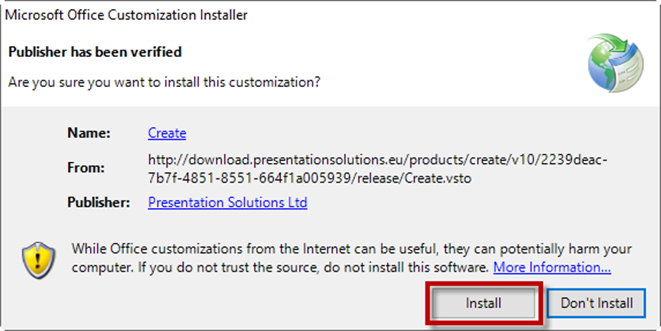
- First the Digital Certificate is checked to verify the download. Click the Install button.
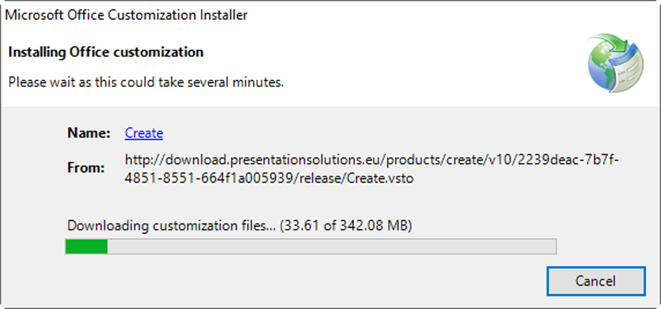
- A dialog is displayed which shows the progress of the installation.
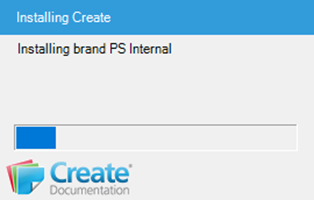
- A dialog will then display which will show the progress of some additional Create installation tasks.
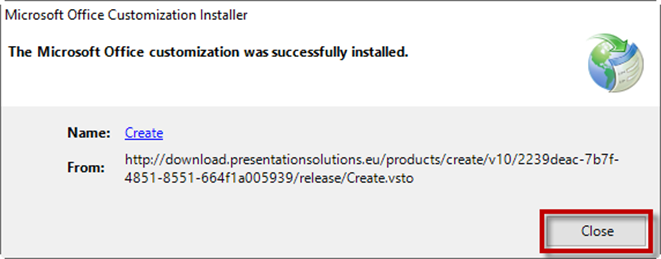
- Select Close when the installation has finished.
- Open PowerPoint and check that the Create tab has been added to the Office Ribbon.

- You are now ready to Register your version of Create. See the next section for these steps.
Was this article helpful?
That’s Great!
Thank you for your feedback
Sorry! We couldn't be helpful
Thank you for your feedback
Feedback sent
We appreciate your effort and will try to fix the article