This function adds a comment/text box with custom text to a data point on a chart.
Select the data point to which you wish to add the comment on the Excel chart.
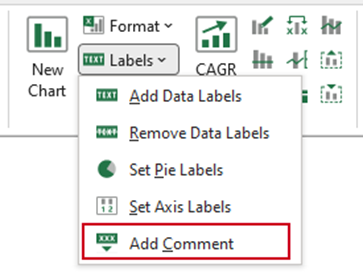
Select Labels, Add Comment on the ribbon.
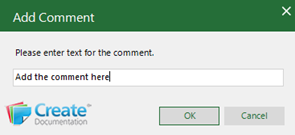
- Type the comment in the dialog.
- Click OK.
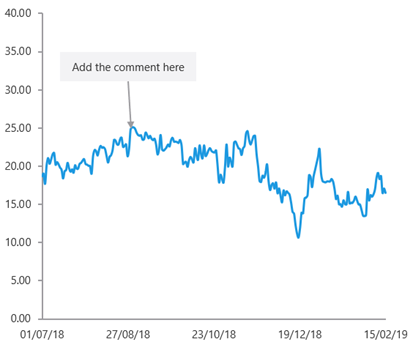
The comment will be added to the selected point on the chart.
You can click and drag to move it if required.
Was this article helpful?
That’s Great!
Thank you for your feedback
Sorry! We couldn't be helpful
Thank you for your feedback
Feedback sent
We appreciate your effort and will try to fix the article