The Modelling group contains functions to assist with spreadsheet modelling including SharpTrace, Select Sheets and AutoColour.
Select Sheets
This function allows a user to easily select all or certain worksheets in a current workbook. This is useful if you wish to e.g. print the selected worksheets or make a change that needs to be applied to all.
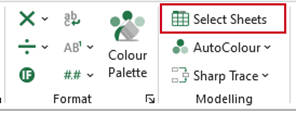
- Select Select Sheets on the ribbon.
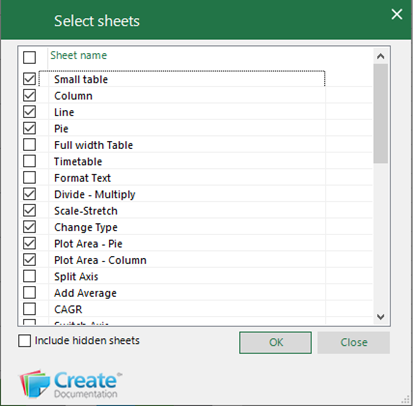
The Select Sheets dialog will list all the worksheets in the current workbook.
- Check Include hidden worksheets to display hidden worksheets – the dialog will refresh to show hidden worksheets.
- Check individual or multiple worksheets.
- Click OK.
- The worksheets will be selected.
Was this article helpful?
That’s Great!
Thank you for your feedback
Sorry! We couldn't be helpful
Thank you for your feedback
Feedback sent
We appreciate your effort and will try to fix the article