Frequently used workbooks are accessible from the New task pane. These workbooks can be built into the Create software by Presentation Solutions or they can be uploaded by authors.
______
Access your frequently used worksheets, which can be individually inserted into workbooks, from the Library. The workbooks containing the sheets that appear here can be customised but are uploaded by Presentation Solutions rather than authors.
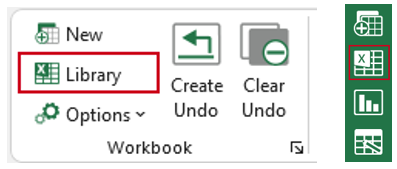
Select Library on the ribbon or the side bar to view all your customised worksheets.
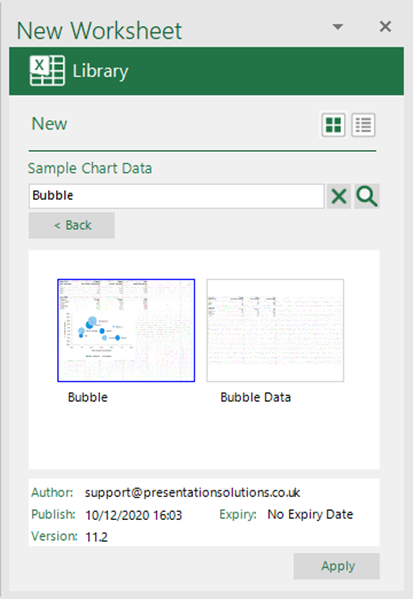
The Library task pane opens, showing the workbooks containing worksheets. Double-click to select a workbook to view a list of available worksheets.
- You can change views by clicking the list or thumbnail icons on the top right.
- In list view, select Expand all, to see all templates, or click the + to expand a single folder.
- Once you have selected a workbook you can search for a worksheet by typing the worksheet name in the search field.
- Double-click on the worksheet to open it or select it and click Apply.
Was this article helpful?
That’s Great!
Thank you for your feedback
Sorry! We couldn't be helpful
Thank you for your feedback
Feedback sent
We appreciate your effort and will try to fix the article