The high contrast setting is an accessibility feature built into Windows that assists people with vision impairment. The Create interface has been designed so that it can be used in high contrast mode.
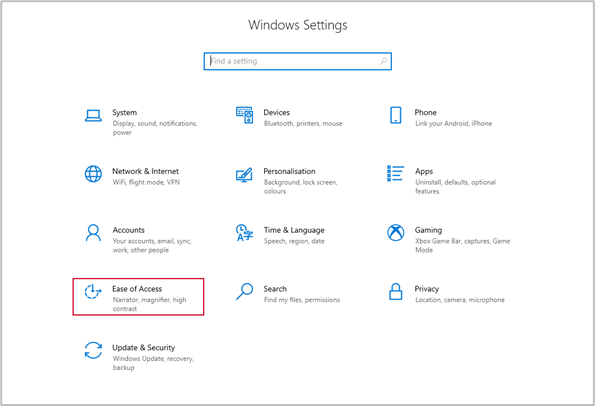
To switch to high contrast mode, go to Settings, Ease of Access.
Select High contrast and select On.
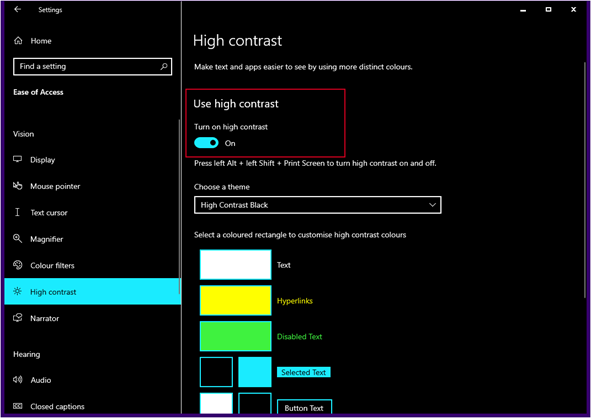
High contrast mode will be applied to Windows and most apps, including Create.
The image below shows the Create ribbon in PowerPoint with high contrast mode applied.

For more details on high contrast mode and on customisation the display settings click the link below.
Was this article helpful?
That’s Great!
Thank you for your feedback
Sorry! We couldn't be helpful
Thank you for your feedback
Feedback sent
We appreciate your effort and will try to fix the article