Screen readers are a form of assistive technology that reads text that is displayed on the screen aloud. Create is compatible with screen readers.
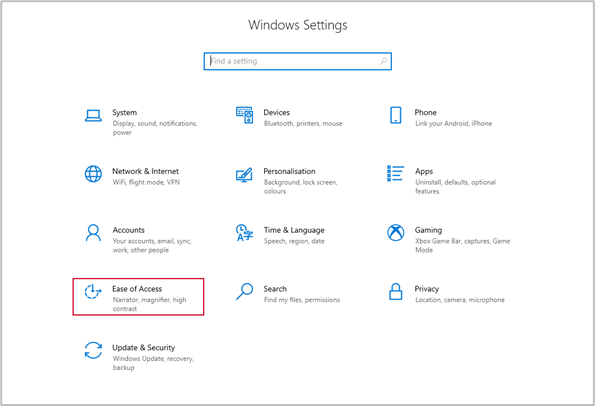
There are various screen readers available. To use the native Microsoft screen reader, Narrator, go to Settings, Ease of Access.
Select Narrator and select On.
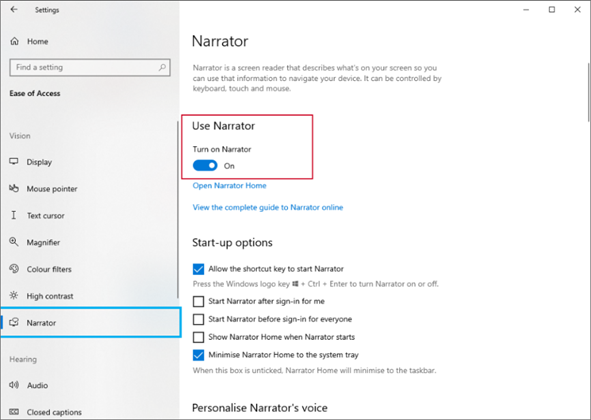
For more details on screen readers and on customising the settings, click the link below.
Was this article helpful?
That’s Great!
Thank you for your feedback
Sorry! We couldn't be helpful
Thank you for your feedback
Feedback sent
We appreciate your effort and will try to fix the article