There are a few errors that can occur when Create is attempting to acquire the token it needs to validate cloud access or automatic licensing. For example
- Error Acquiring Token:The data is invalid.
- Error Acquiring Token:Access to the path 'C:\Users\[username]\AppData\Roaming\Create\MSAL-Cache.txt' is denied.
- Error Acquiring Token:Key not valid for use in specified state.
Deleting the invalid token should resolve the issue and allow Create to recreate a valid token. Please follow the steps below.
We would suggest that this task is completed by a member of your IT support team.
- Close all Office applications
- In Task Manager make sure there are no background processes (of PowerPoint, Word or Excel) still open.
- Right-click on the taskbar at the bottom of the screen and open Task Manager
- Make sure there are no instances of Microsoft PowerPoint, Microsoft Excel or Microsoft Word listed under Background Processes
- In Explorer, browse to the following folder: C:\Users\[username]\AppData\Roaming\Create\ (If you are unable to locate this folder - please refer to Display hidden folders)
- Delete the MSAL-Cache.txt file
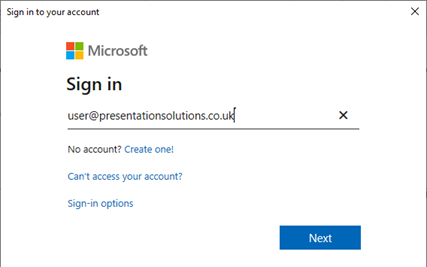
- Reopen PowerPoint. Create will prompt the user to sign in with their Microsoft login. This will generate a fresh MSAL-Cache.txt token.
Was this article helpful?
That’s Great!
Thank you for your feedback
Sorry! We couldn't be helpful
Thank you for your feedback
Feedback sent
We appreciate your effort and will try to fix the article