Create stores token information within a user's AppData folder. By default, Windows 11 keeps this folder hidden. To make this folder visible:
- Press Windows + E to open File Explorer.
- Navigate to C:\Users[Your Username].
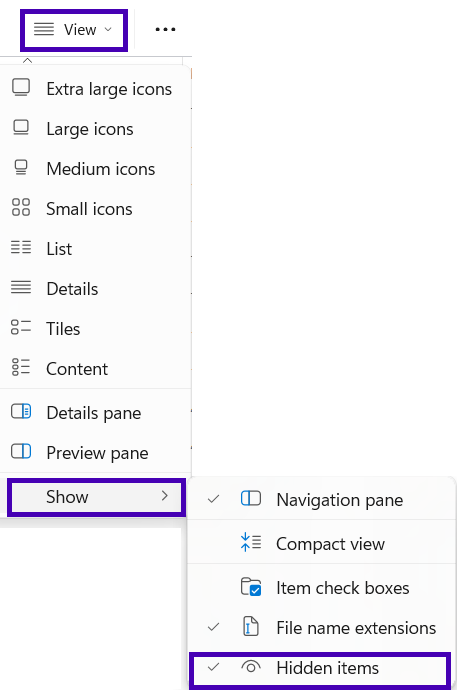
- Click the View menu at the top.
- Select Show and then click Hidden items to enable viewing hidden files.
- Double-click the AppData folder (its icon will be semi-transparent) to open it.
Was this article helpful?
That’s Great!
Thank you for your feedback
Sorry! We couldn't be helpful
Thank you for your feedback
Feedback sent
We appreciate your effort and will try to fix the article