Clipboard errors are usually specific to the machine
If a user is experiencing clipboard errors then they should turn off the Clipboard history setting and also try pressing the Clear button under Clear clipboard data.
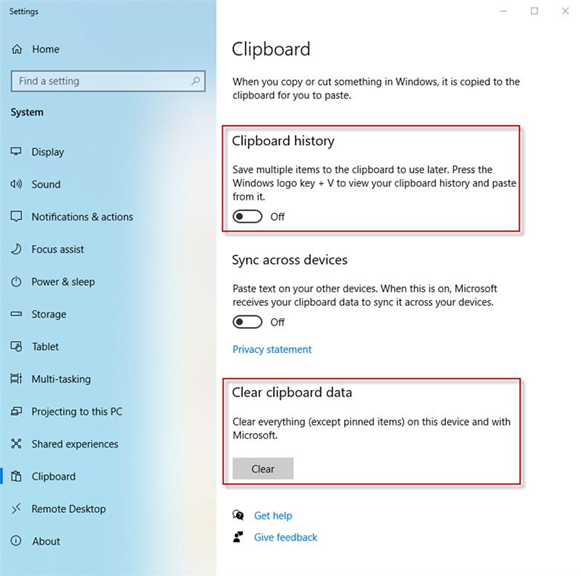
The user should regularly reboot their computer using Power > Restart as clipboard data can get stuck over time. Note: the Power > Shut down option is similar to Sleep mode and does not close all processes like Power > Restart.
Are there any other applications on the user's pc, particularly ones that load on start-up that might be using the clipboard? Does the user have any other Office add-ins? If so try disabling the add-ins temporally whilst you test Create.
Please send an error log to support (see article below) so we can see the nature and frequency of all the errors that the user is getting.
Was this article helpful?
That’s Great!
Thank you for your feedback
Sorry! We couldn't be helpful
Thank you for your feedback
Feedback sent
We appreciate your effort and will try to fix the article