Use the tools in the Format group on the Create ribbon, rather than native PowerPoint to apply formatting to text and other content in the presentation.
______
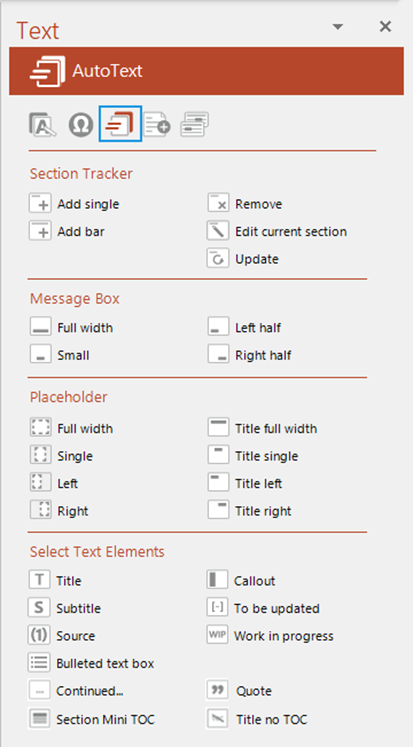
Insert frequently used text elements such as placeholders, subtitles, a bulleted text box or source and objects from the AutoText panel on the Text task pane.
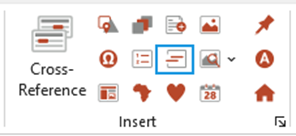
Select AutoText on the Create ribbon.
The Text task pane opens at the AutoText panel, showing all available AutoText entries.
Select any entry to insert it on to your slide.
Notes |
Was this article helpful?
That’s Great!
Thank you for your feedback
Sorry! We couldn't be helpful
Thank you for your feedback
Feedback sent
We appreciate your effort and will try to fix the article