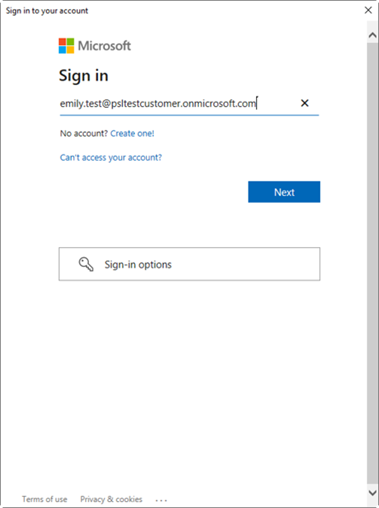
- On opening PowerPoint, Word or Excel, the following dialog will appear. Sign in with your Azure AD credentials.
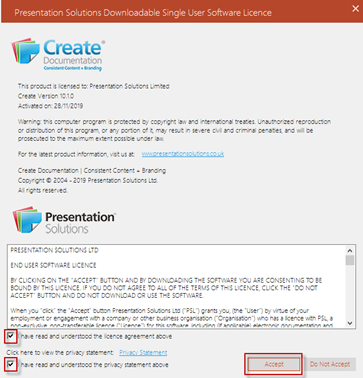
- The licence agreement will appear. Please read the licence terms before you check the box adjacent to “I have read and understood the licence agreement above” (please note that terms & conditions already been agreed by your Legal team and Presentation Solutions Ltd). Please also read the privacy statement before you check the box adjacent to “I have read and understood the privacy statement above”. Then select the Accept button.
- Once the previous steps have been completed, the dialogue box below will appear listing the brands registered:
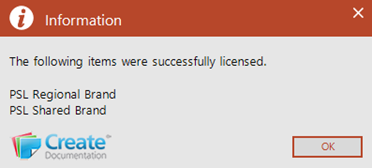
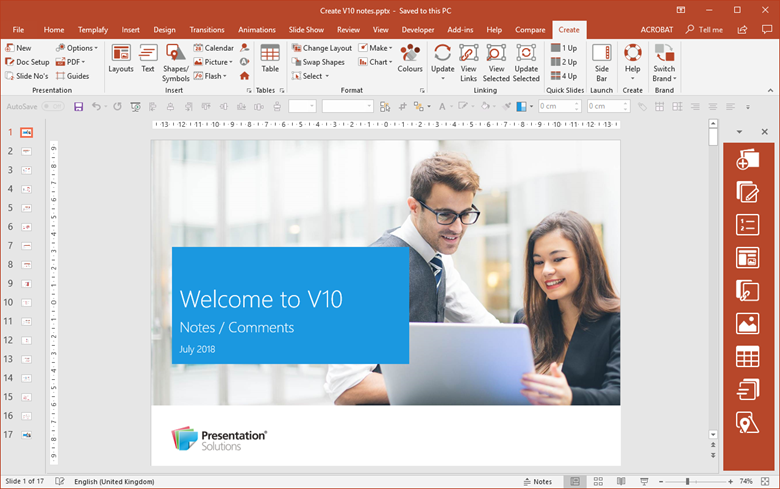
- Once you select the OK button, Create will be activated.
- Subsequent opening of PowerPoint will present users with their default (customised) presentation.
Was this article helpful?
That’s Great!
Thank you for your feedback
Sorry! We couldn't be helpful
Thank you for your feedback
Feedback sent
We appreciate your effort and will try to fix the article