Sending us the Compare error log if you have experienced problems using Compare will allow us to investigate the issue promptly. This function will generate the error log to the support helpdesk (support@presentationsolutions.co.uk) in the background.
If you send the error log, please follow up with an email describing the problem and what you were trying to achieve, so that we can follow up with you.
To send the error log:
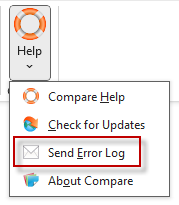
- From the Compare tab select Help.
- From the dropdown menu select Send Error Log.
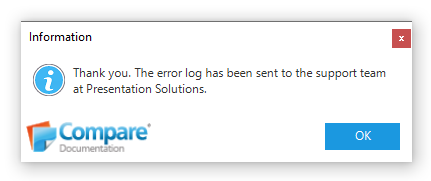
The following message should appear:
If the send error log function on the Compare ribbon errors or if you are unable to use Compare then please navigate to Documents\Compare Error Logs and email us the CompareLog.xml file.
Was this article helpful?
That’s Great!
Thank you for your feedback
Sorry! We couldn't be helpful
Thank you for your feedback
Feedback sent
We appreciate your effort and will try to fix the article