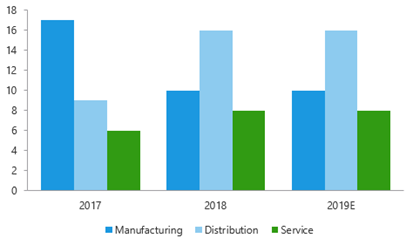
This function adds a secondary value axis to the selected chart and moves one or several selected series to that axis. Where there is an existing secondary axis the user is offered a list of the series on the primary axis to add to the secondary axis.
Select the chart.
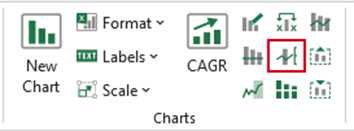
Select Second Axis on the ribbon.
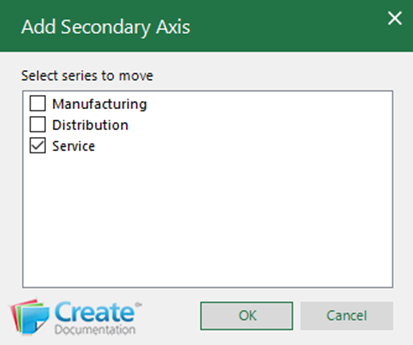
Select one or more series that are to be replotted on the secondary axis.
Click OK.
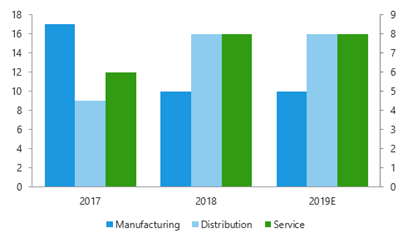
A secondary axis will be added to the chart and the selected series will be replotted on to the new axis.
Was this article helpful?
That’s Great!
Thank you for your feedback
Sorry! We couldn't be helpful
Thank you for your feedback
Feedback sent
We appreciate your effort and will try to fix the article