This function will calculate a CAGR (Compound Annual Growth Rate) of a data selection on a worksheet.
Select the cell on the worksheet where you want the result to be inserted.

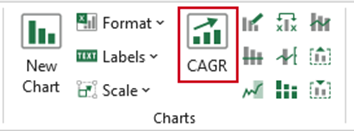
Select CAGR on the ribbon.
- With the Select Range dialog open, select the data of which you wish to calculate the CAGR.
- If the data range selected includes multiple rows or columns, select Each year is a Row or Column depending on how the data is arranged.
- Click OK.
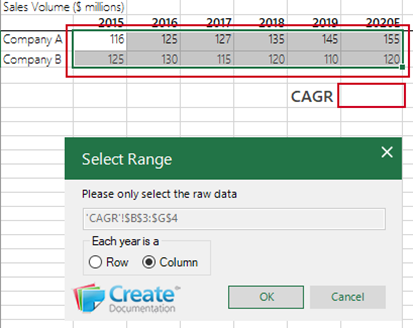
The CAGR will be inserted in the selected cell.
Was this article helpful?
That’s Great!
Thank you for your feedback
Sorry! We couldn't be helpful
Thank you for your feedback
Feedback sent
We appreciate your effort and will try to fix the article