Use the tools in the Format group on the Create ribbon, rather than native PowerPoint to apply formatting to text and other content in the presentation.
______
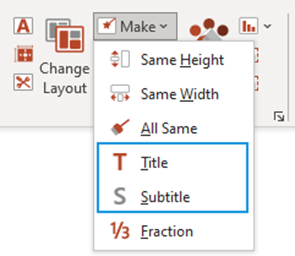
This function will cut and paste selected text into a formatted title or subtitle placeholder.
- Select the text you wish to cut and paste.
- Select Make and from the dropdown select Title or Subtitle.
Was this article helpful?
That’s Great!
Thank you for your feedback
Sorry! We couldn't be helpful
Thank you for your feedback
Feedback sent
We appreciate your effort and will try to fix the article