Use the tools in the Format group on the Create ribbon, rather than native PowerPoint to apply formatting to text and other content in the presentation.
______
Format text using the Text task pane. This contains paragraph styles relevant to the template in which you are working.
Select Text in the ribbon or side bar to view the available text formats.
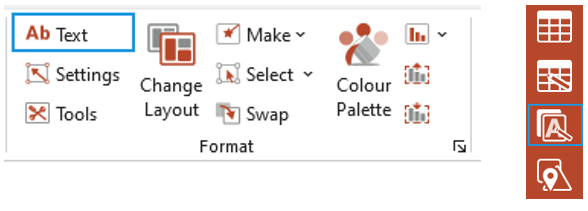
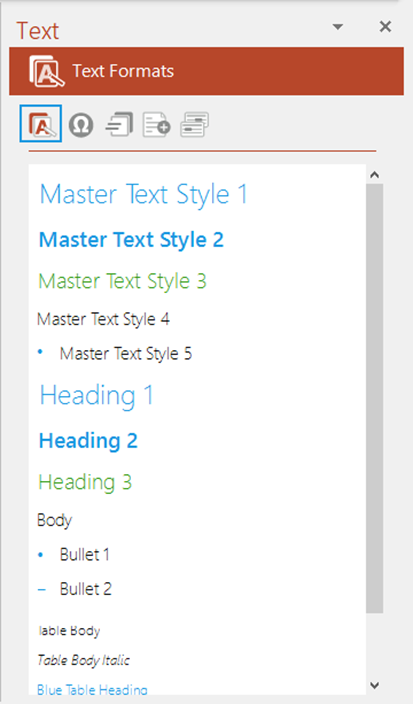
The Text task pane opens at the Text Formats panel, showing all available text formats for the current presentation.
Select a paragraph or multiple paragraphs and then the required text format.
Items marked as Master Text Style will reflect the styles set up in your document and you will be able to use native PowerPoint to promote and demote through levels when these styles are applied.
All other styles are manually formatted so you won’t be able to promote and demote bullet levels when these are used.
| Notes This function only applies formats to text or paragraphs. It doesn’t insert placeholders e.g. if you wish to insert a Slide Title use the AutoText function. The text formats available will depend on your customisation and the template in which you are working |
Was this article helpful?
That’s Great!
Thank you for your feedback
Sorry! We couldn't be helpful
Thank you for your feedback
Feedback sent
We appreciate your effort and will try to fix the article