Use the Create table tools to insert and format tables in your organisation’s branding, rather than native PowerPoint to ensure you are using the correct formatting.
Borders will be applied accordingly when you apply a whole table format but to change these or to apply additional borders to the table use the Format Borders function rather than native PowerPoint. The line weights and colours will be in line with your organisation’s branding.
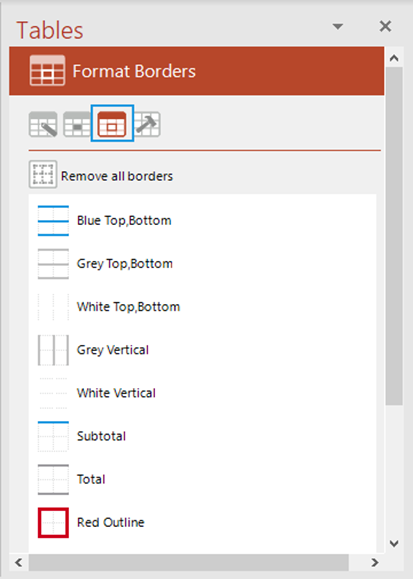
From the Format Borders panel click an option in the list to apply a border format to the selected cells or use the Remove all borders button to clear all borders.
Was this article helpful?
That’s Great!
Thank you for your feedback
Sorry! We couldn't be helpful
Thank you for your feedback
Feedback sent
We appreciate your effort and will try to fix the article