Use the Create table tools to insert and format tables in your organisation’s branding, rather than native PowerPoint to ensure you are using the correct formatting.
Once a table is inserted you can apply a different table format or apply other specific formatting options. Select the table and select Format Table on the ribbon or Format on the side bar.
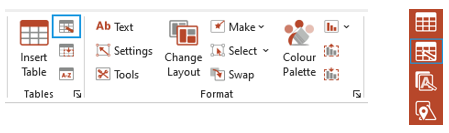
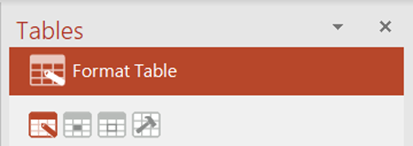
The Tables task pane opens at the Format Table panel.
You can select an icon to view Format Cells, Borders or Table Tools.
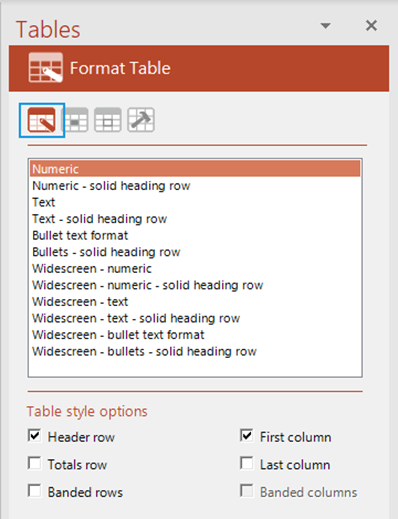
Select a base Table Format from the list to apply to the selected table.
Check any of the Table Style Options to apply special formatting to your table. To remove this formatting, uncheck the option.
Was this article helpful?
That’s Great!
Thank you for your feedback
Sorry! We couldn't be helpful
Thank you for your feedback
Feedback sent
We appreciate your effort and will try to fix the article