Use the Create table tools to insert and format tables in your organisation’s branding, rather than native PowerPoint to ensure you are using the correct formatting.
Once you have applied a whole table format to a selection of cells, you can apply any additional cell formatting that is available e.g. totals or subtotals.
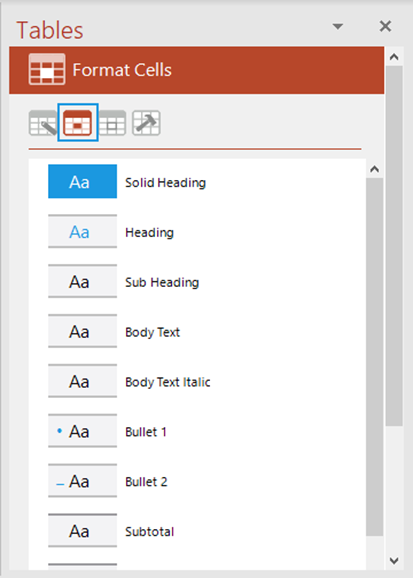
From the Format Cells panel click an option in the list to apply a cell format to the selected cells.
Note that applying a cell format will not change the font size or the alignment of a cell. It will apply the correct font type, colour and cell formatting such as fill and border.
Was this article helpful?
That’s Great!
Thank you for your feedback
Sorry! We couldn't be helpful
Thank you for your feedback
Feedback sent
We appreciate your effort and will try to fix the article