The Shape Tools and Shape Settings panels allow you to arrange, format and position shapes on individual slides or multiple slides easily.
______
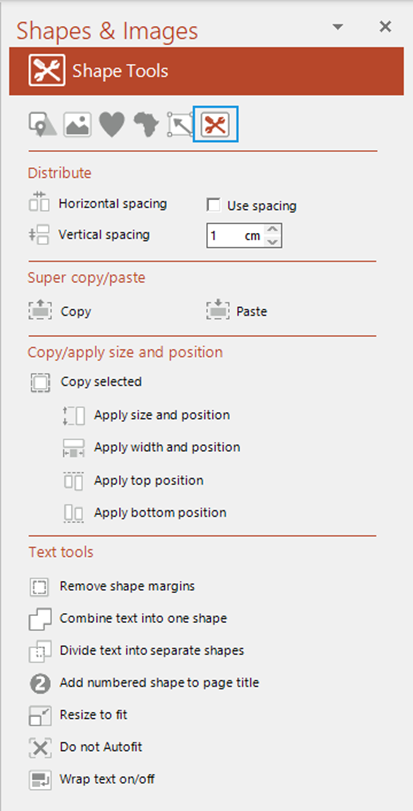
The Shape Tools panel includes functions to distribute a selection of shapes evenly or at a fixed equal gap and copy attributes from one shape to another either on the current slides or other slides. There are also some text tools for text in shapes and placeholders.
Select Tools on the ribbon OR open the Shapes & Images task pane from the side bar.
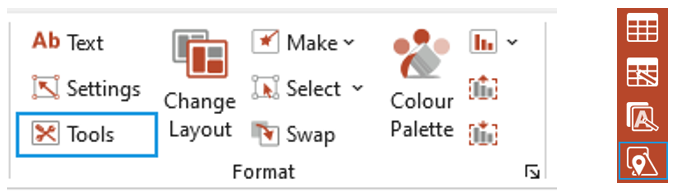
The Shapes & Images task pane opens.
Open the Shape Tools panel (if you opened the pane from the side bar).
Distributing Shapes
Use the Distribute options to distribute shapes evenly both horizontally or vertically or with a fixed gap between.
To distribute shapes horizontally
- Select at least three shapes on the slide – select the first shape and SHIFT select subsequent shapes OR click and drag to select.
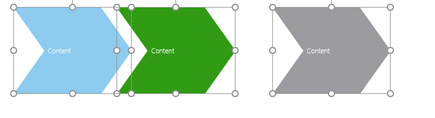
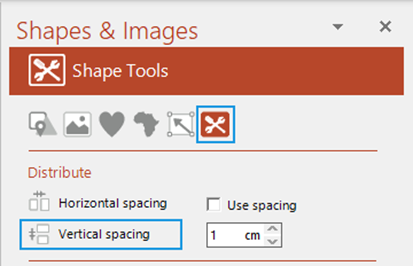
- Select Horizontal spacing to distribute the shapes evenly horizontally.
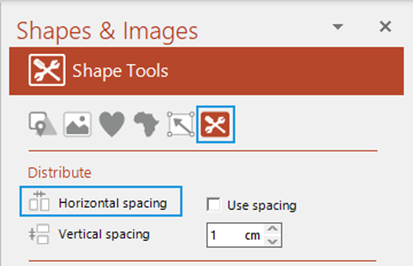
- The shapes will distribute with equal gaps between.

- Be aware that the first shape you select will remain in the same position and the subsequent shapes you select will be distributed equally from the first shape.
To distribute shapes vertically
- Select at least three shapes on the slide – select the first shape and SHIFT select subsequent shapes OR click and drag to select.
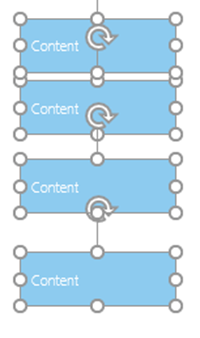
- Select Vertical spacing to distribute the shapes evenly vertically.
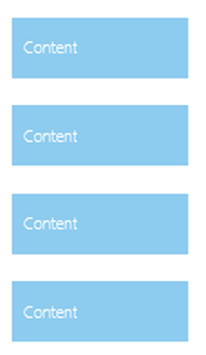
- The shapes will distribute with equal gaps between.
- Be aware that the first shape you select will remain in the same position and the subsequent shapes you select will be distributed equally from the first shape.
To specify the spacing between shapes either horizontally or vertically
- Select at least three shapes on the slide – select the first shape and SHIFT select subsequent shapes OR click and drag to select.
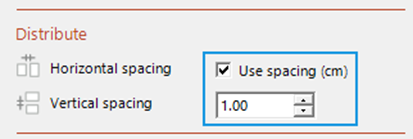
- Check the box Use spacing and type in the gap required.
- Select Vertical spacing or Horizontal spacing to distribute the shapes according to the measurement specified.
- Be aware that the first shape you select will remain in the same position and the subsequent shapes you select will be distributed equally from the first shape.
Was this article helpful?
That’s Great!
Thank you for your feedback
Sorry! We couldn't be helpful
Thank you for your feedback
Feedback sent
We appreciate your effort and will try to fix the article