Exporting the Event Log to a file.
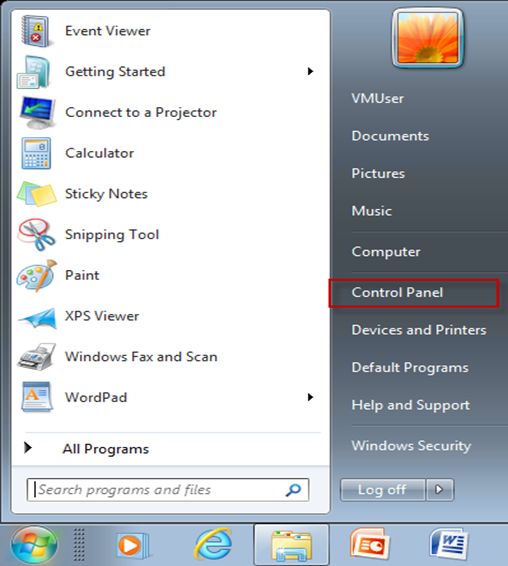
Open the Control Panel
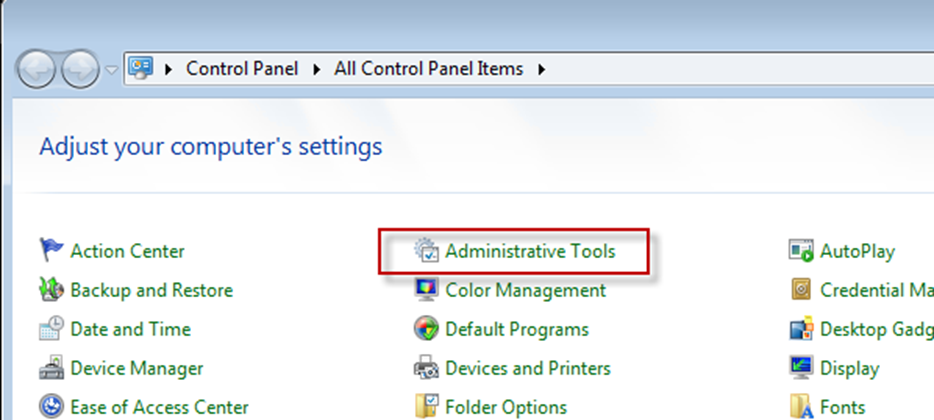
Select Administrative Tools
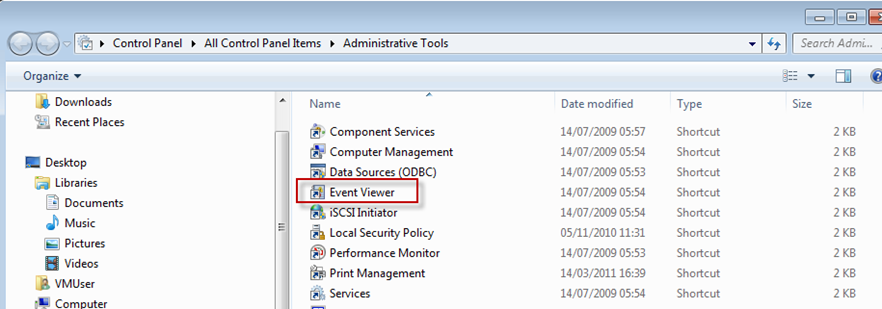
Select the Event Viewer
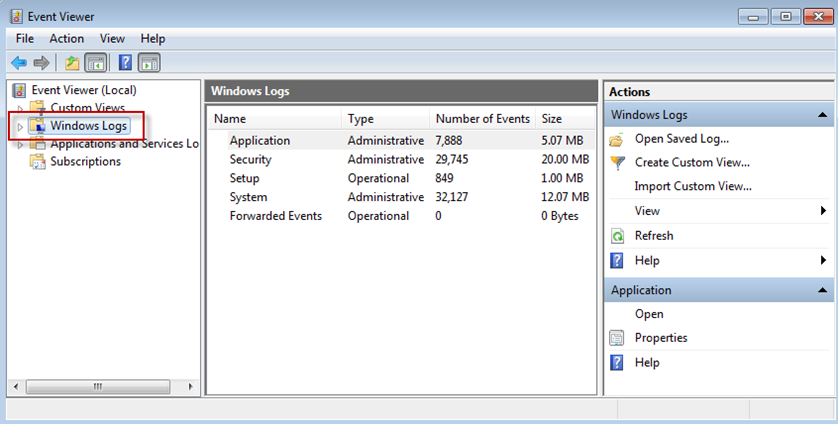
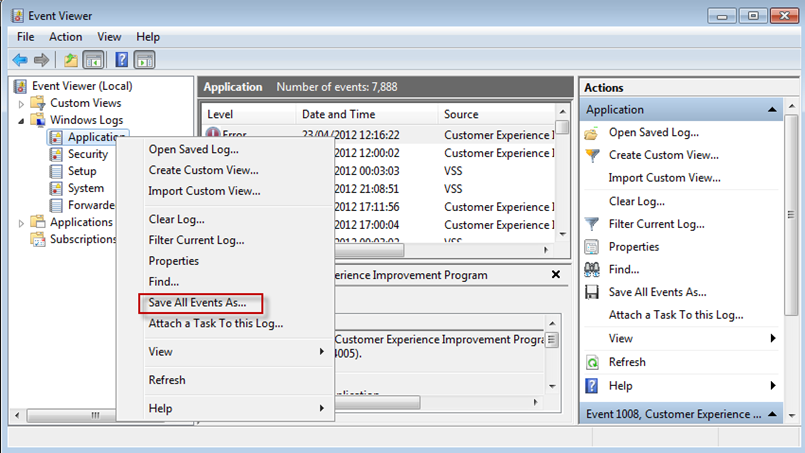
Select Windows Logs and Application
Select Save All Events As
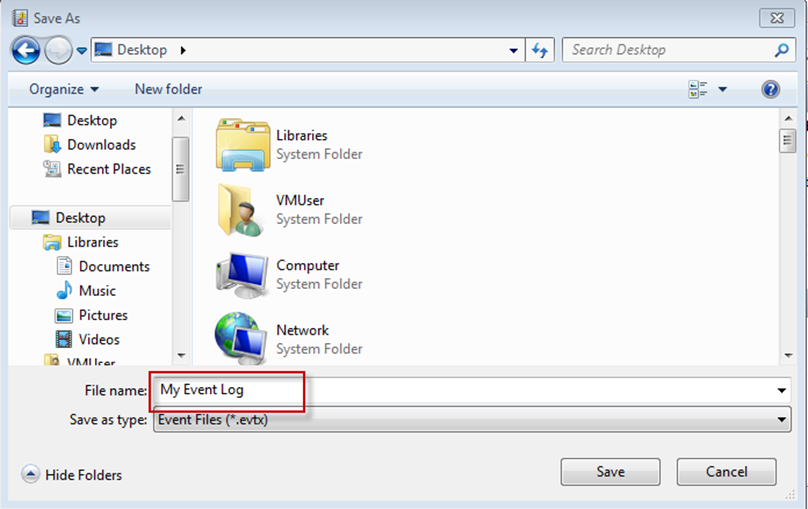
Save Event Log file to desktop:
Was this article helpful?
That’s Great!
Thank you for your feedback
Sorry! We couldn't be helpful
Thank you for your feedback
Feedback sent
We appreciate your effort and will try to fix the article