“Customized functionality in this application will not work because the certificate used to sign the deployment manifest for Create or its location is not trusted”
- Some clients block access to URLs, so may need to add presentationsolutions.co.uk to their trusted/safe locations.
- The web services URL which is contacted to validate licenses is: http://webservices.presentationsolutions.co.uk/Licensing/LicenceValidation.svc
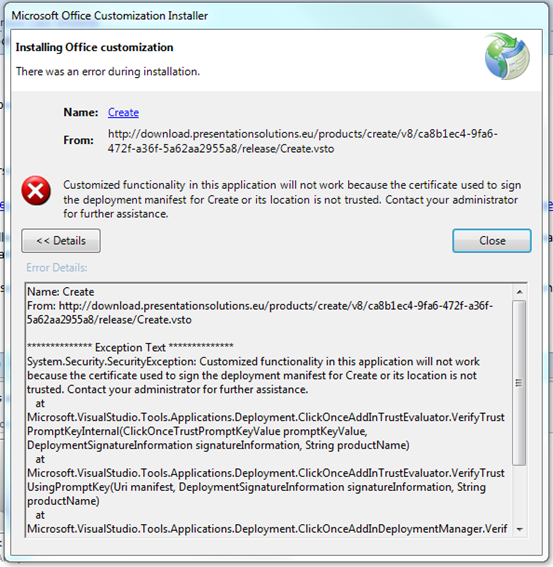
Sometimes this error occurs due to the file location rather than the computer not trusting the certificate. For example, if trying to install the file from the folder C:\. By default this folder location would be trusted, but the most likely reason for the error message is that the security settings on that machine prevent ClickOnce from installing from there.
If you wish to install Create from local files instead of from our server then you need to ensure that where you put the installation files is trusted. If you wish to check your settings, here is the key containing the relevant security settings:
\HKEY_LOCAL_MACHINE\SOFTWARE\MICROSOFT\.NETFramework\Security\TrustManager\PromptingLevel\MyComputer
The value should be “Enabled” to allow a signed ClickOnce package to install.
Was this article helpful?
That’s Great!
Thank you for your feedback
Sorry! We couldn't be helpful
Thank you for your feedback
Feedback sent
We appreciate your effort and will try to fix the article