Your organisation’s Word templates are accessible from the New task pane. These templates are built into the Create software by Presentation Solutions and not uploaded by authors.
Select New on the ribbon or side bar to view all your customised templates.
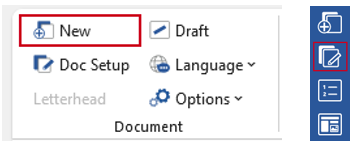
The New task pane launches, showing all available templates. Select a template category from the dropdown list and then click to select a template.
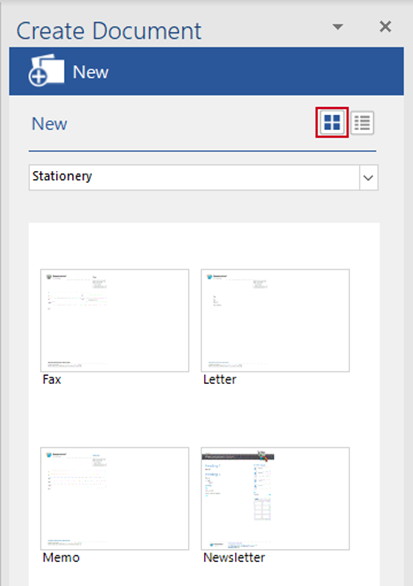
You can change views by clicking the list or thumbnail icons on the top right of the task pane.
In list view, select Expand all, to see all templates, or click the + to expand a single category.
Select the required template and click OK.
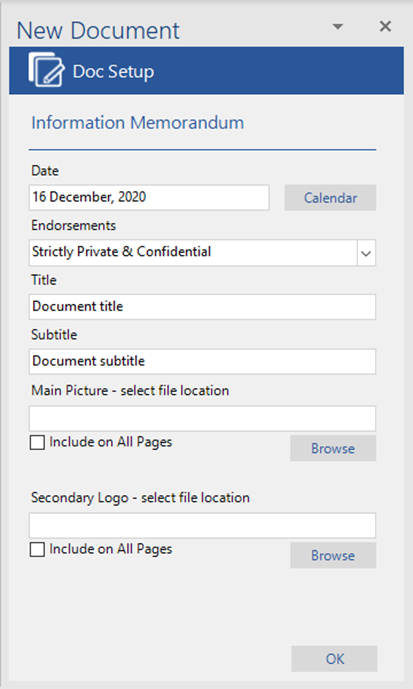
Once you’ve selected the template you wish to use, a task pane appears containing the fields available in your document. These fields will change depending on the template.
Complete the fields – these will differ between templates – then click OK to launch your presentation.
If you have a library of images in Create in PowerPoint you will be able to access them here.
Was this article helpful?
That’s Great!
Thank you for your feedback
Sorry! We couldn't be helpful
Thank you for your feedback
Feedback sent
We appreciate your effort and will try to fix the article