The Insert group contains a number of preformatted objects or different page setups that you can choose to insert into your document.
______
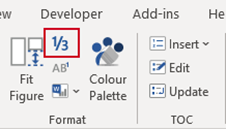
In Microsoft Office, only ¼, ½ and ¾ can be inserted via the symbol tool (or by typing the figures and having AutoText automatically reformat them for you). The Fraction function enables you to insert other fractions within the text of your document quickly.
Select Fraction on the Create ribbon.
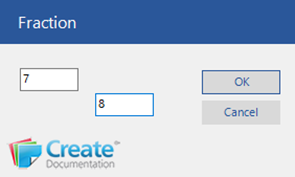
- Type in the figures
- Click OK.
Was this article helpful?
That’s Great!
Thank you for your feedback
Sorry! We couldn't be helpful
Thank you for your feedback
Feedback sent
We appreciate your effort and will try to fix the article