Occasionally a user will see the error message below when attempting to open a workbook in Excel:
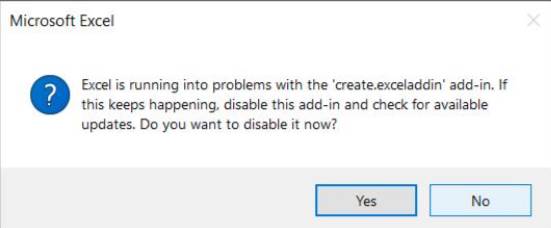
Excel is running into problems with the 'create.exceladdin' add-in. If this keeps happening, disable this add-in and check for available updates. Do you want to disable it now?
This error is displayed if an Office add in like Create errors a few times when Excel is being launched (during initial loading before the Office application has fully launched and can be interacted with).
Looking at a user's error log, the most common entry appears to be an issue deleting files in the help files folder. Create attempts this deletion when it is trying to install/re-install help files.
The instructions below should fix that error for you.
- Close all instances of Excel, Word and PowerPoint.
- Manually delete the help files folder which in the error log should be in the path 'C:\Users\*username*\OneDrive - *company name*\Documents\Create\Hp'.
- Re-launch Create from Excel and will attempt to recreate this folder and re-install the help files.
If successful then Create should stop producing errors when Office launches and the add-in error prompt you see should stop appearing.
Was this article helpful?
That’s Great!
Thank you for your feedback
Sorry! We couldn't be helpful
Thank you for your feedback
Feedback sent
We appreciate your effort and will try to fix the article