If your table contains error indicators, you may want to turn these off, so they are not visible in your table picture.
In Excel, from the Office button, select Options, Formulas.
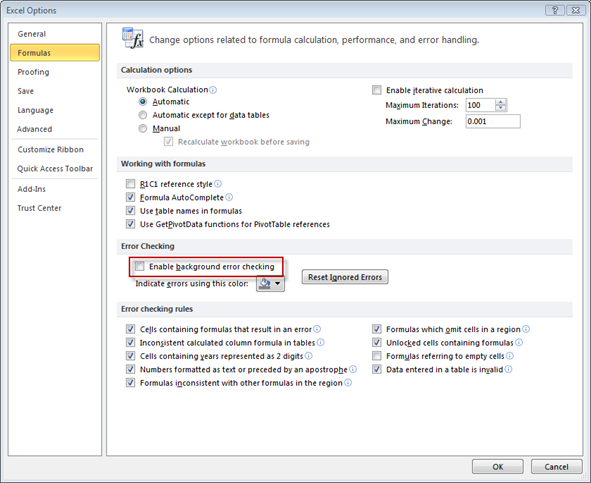
Uncheck the Enable background error checking box and click OK.
The error indicators will now be hidden and you can recapture your picture as per the steps above (if you have an image you want to replace in PowerPoint, simply click on this and Excel will replace the image and link).
Was this article helpful?
That’s Great!
Thank you for your feedback
Sorry! We couldn't be helpful
Thank you for your feedback
Feedback sent
We appreciate your effort and will try to fix the article