Frequently used workbooks are accessible from the New task pane. These workbooks can be built into the Create software by Presentation Solutions or they can be uploaded by authors.
______
You can save your current workbook as a PDF either to the current location or to a new location with a different name. Both options will prompt you to save the Excel file, and then create a PDF with non-printing information and properties removed.
Set the appropriate print settings, if necessary, in the Excel file and save the file.
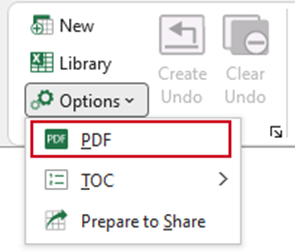
Select Options, PDF from the Create ribbon.
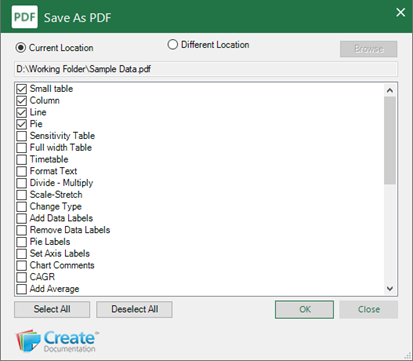
The PDF dialog will open.
- Select Current Location to save the PDF with the same name, to the current location.
- Select Different Location and Browse to open the Save as dialog to save the PDF to a different location.
- Select the worksheets to be included in the PDF.
- Click OK.
Was this article helpful?
That’s Great!
Thank you for your feedback
Sorry! We couldn't be helpful
Thank you for your feedback
Feedback sent
We appreciate your effort and will try to fix the article