Your PowerPoint templates may allow for a choice of front covers. If this is the case, you can select an alternative front cover in the Doc Setup.
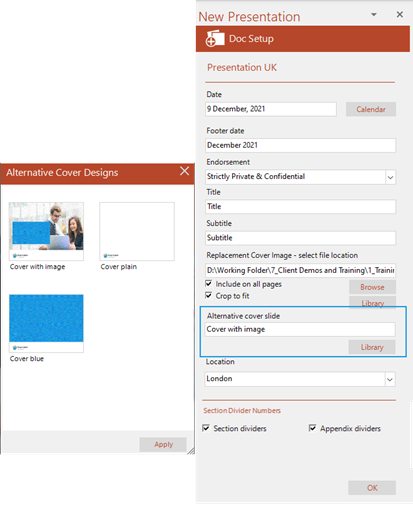
If there is a choice of cover slides available for the template in which you are working, you will see the Alternative cover slide field in the Doc Setup task pane.
- Click on the Library button. A dialog will open from which you can choose a new cover slide.
- Choose the new cover, click Apply to close the dialog.
- Click OK to close the task pane and insert the new cover.
Was this article helpful?
That’s Great!
Thank you for your feedback
Sorry! We couldn't be helpful
Thank you for your feedback
Feedback sent
We appreciate your effort and will try to fix the article