The Insert group contains a number of preformatted objects or different page setups that you can choose to insert into your document.
______
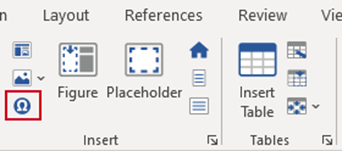
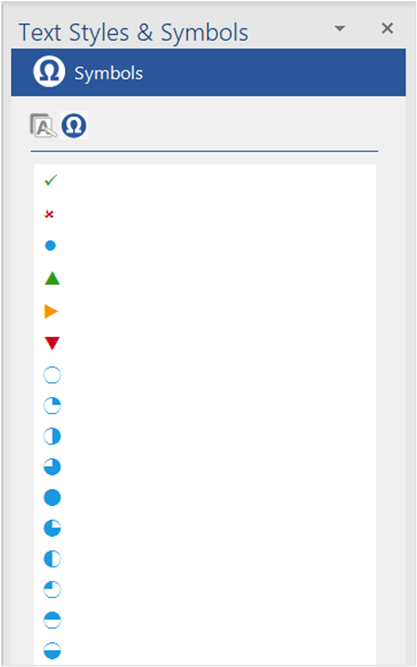
Symbols contains a selection of preformatted symbols to insert into your document.
Select Symbols on the Create ribbon.
The Symbols task pane will open.
With your cursor in a placeholder or a table, select a symbol.
The selected symbol will be inserted at the point of your cursor.
Was this article helpful?
That’s Great!
Thank you for your feedback
Sorry! We couldn't be helpful
Thank you for your feedback
Feedback sent
We appreciate your effort and will try to fix the article