This function is useful if a table has been typed and formatted in Word (not linked to Excel), and partially new data becomes available for a column or cells – in a new Excel source. This will save you typing in manually, as without Paste Subset, it is not possible to copy just the content from Excel whilst retaining the PowerPoint formatting.
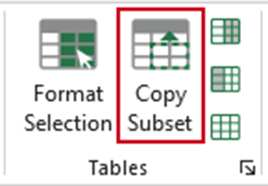
In Excel, select the new range of data and choose Copy Subset.
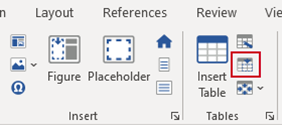
ALT+Tab (or navigate) back to Word, place your cursor where you want the paste to start and choose Paste Subset.
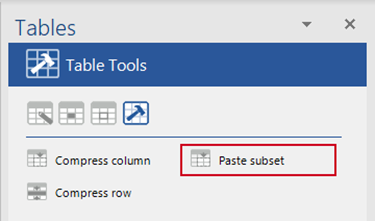
OR, from the Table Tools panel select Paste subset.
Was this article helpful?
That’s Great!
Thank you for your feedback
Sorry! We couldn't be helpful
Thank you for your feedback
Feedback sent
We appreciate your effort and will try to fix the article