The Format group contains a selection of worksheet formatting options.
Text Formats
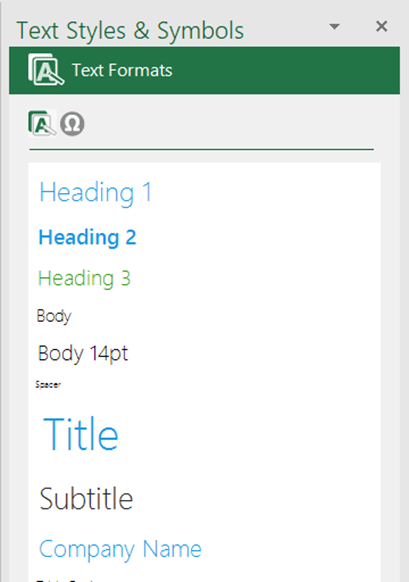
Format text on your worksheet using the Text Formats task pane. This contains text formats that have been customised to match your branding.
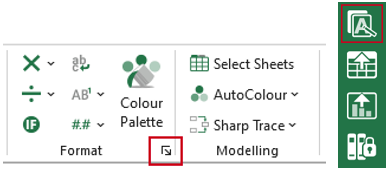
Select Text on the side bar or the task pane launcher on the ribbon to view the available text formats.
The Text Styles & Symbols task pane opens at the Text Formats panel, showing all available text formats.
- Select a cell or multiple cells and then the required text format.
Was this article helpful?
That’s Great!
Thank you for your feedback
Sorry! We couldn't be helpful
Thank you for your feedback
Feedback sent
We appreciate your effort and will try to fix the article