Use Create to add shapes, images, icons and maps to your presentation. Any built-in content you insert from the Shapes & Images task pane will be formatted according to your company’s branding.
The content on the Shapes & Images task pane will be available in all templates in which you are working and will have been either built in to the Create software or uploaded by designated authors within your organisation.
______
This will insert a slide containing four preformatted monthly calendars.
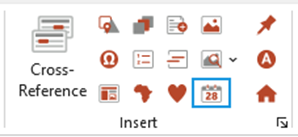
Select Calendar on the Create ribbon.
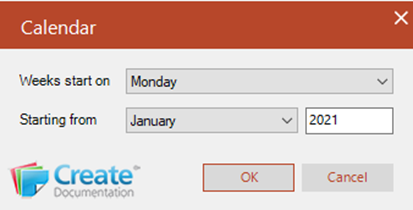
- Select the day, month and year (type this manually) from which you want the calendar to start.
- Click OK.
Was this article helpful?
That’s Great!
Thank you for your feedback
Sorry! We couldn't be helpful
Thank you for your feedback
Feedback sent
We appreciate your effort and will try to fix the article