The Agenda/Table of Contents (TOC) slide lists the main topics in the presentation. It usually appears after the cover slide and can display either the titles on the section and appendix divider slides and/or the slide titles. Subsection titles are optional and can be added to the section and appendix divider slides and included in the Agenda/TOC. Hyperlinks can be included to help navigate through the presentation.
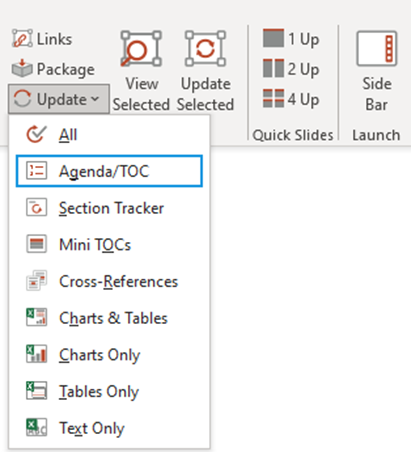
Update the agenda by selecting Update, Agenda/TOC in the Linking group on the Create ribbon.
______
Agendas can be updated separately or at the same time as all the linked objects in a presentation.
- Select Update, Agenda/TOC in the Linking group on the Create ribbon.
The existing Agenda/TOC slide(s) will be deleted and replaced with a new one.
Notes Updating the Agenda/TOC will also update the section trackers in the presentation. |
Was this article helpful?
That’s Great!
Thank you for your feedback
Sorry! We couldn't be helpful
Thank you for your feedback
Feedback sent
We appreciate your effort and will try to fix the article