Existing assets are edited using the pane from which they are inserted (i.e. the or task panes). Only assets which have been uploaded by a client author can be edited. Assets built into Create by Presentation Solutions cannot be edited by authors.
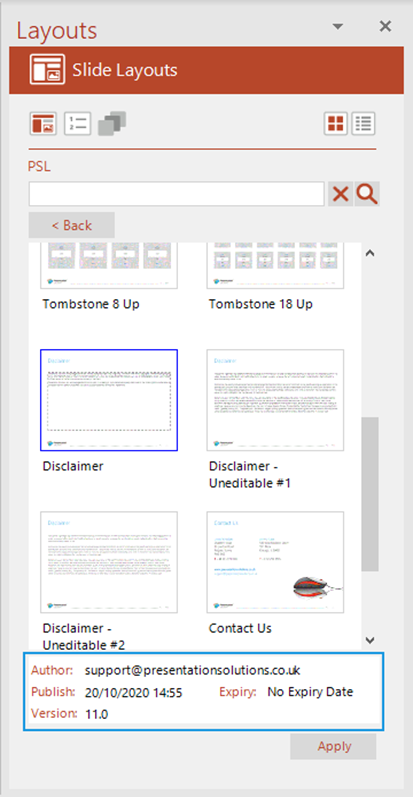
This is the task pane for an author-generated layout as seen by a user.
Users will only see assets that are within the publish date and expiry date.
When a user selects an author-generated asset in the task pane, they will see the following information: author email address, publish date, expiry date and version number.
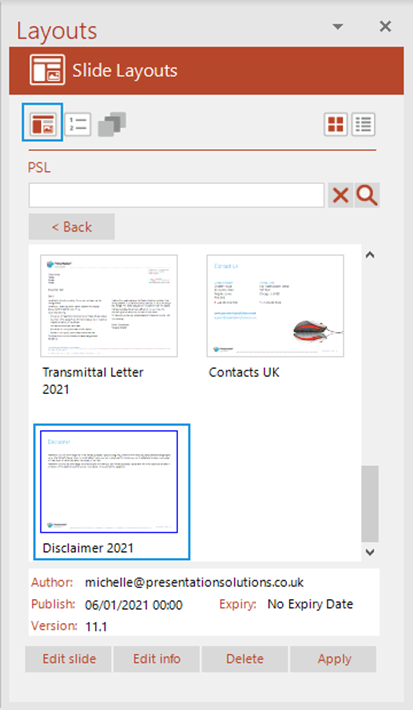
This is the task pane for an author-generated layout as seen by an author.
Authors will see all assets, including those that are not yet published.
When an author selects an author-generated asset, they also get the option to , and the asset.
Related Topics
Was this article helpful?
That’s Great!
Thank you for your feedback
Sorry! We couldn't be helpful
Thank you for your feedback
Feedback sent
We appreciate your effort and will try to fix the article